

How to Use Claude Code and Codex Together for Code Review
Claude Code can ask Codex to review a change and get the findings back in the original session. Agent HUD passes the request and the reply between sessions on the same Mac, so you can use one agent to write and the other to review a diff in the same repository.
Updated 2026-11-18
Choose how to hand off the change
For a one-off review, open the repository in Codex yourself. The Codex CLI can review uncommitted changes, a branch diff or a commit. OpenAI’s Codex plugin for Claude Code also runs a read-only review with /codex:review.
Use Agent HUD to send the request to a specific Codex session already open on the same Mac and bring its reply back into Claude Code.
OpenAI’s Codex CLI review referenceOpenAI’s Codex plugin for Claude Code
Enable messages on your Mac
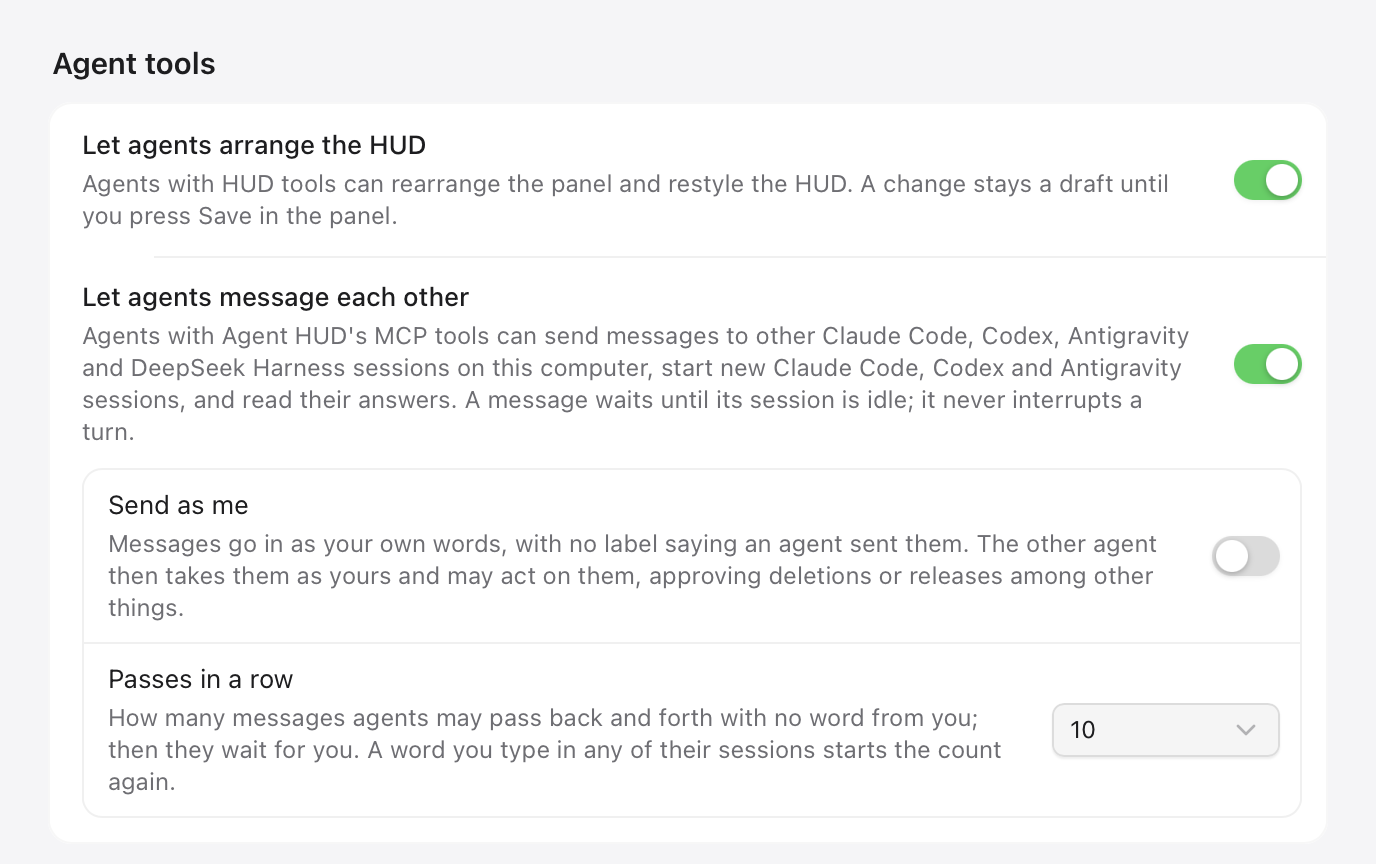
- In Agent HUD, open Settings → Agent plugins and turn on Let agents message each other under Agent tools.
- Add HUD tools to Claude Code and Codex so they can both send messages. Install the Agent HUD plugin for Claude Code on that page and leave Send messages on so its sessions can receive replies.
- Open fresh main sessions in Claude Code and Codex so they load the tools. For this review, point them at the same Git working directory. Give the Codex session a clear title if you have several open.
Ask Codex to review a CSV export
Suppose Claude Code has just added a CSV export. Try asking “Send the Codex session in this repository a message asking it to review the CSV export diff. Ask it to check fields with commas or quotes and empty rows, then reply with findings and any missing tests. Keep the review read-only and bring the findings back here.”
By default, the request arrives in Codex with the sender and session named. Codex reads the diff and relevant tests in its own session. When Codex replies, Agent HUD returns the findings to the Claude Code session. For a fresh reviewer, ask Claude Code to start a new Codex session in a project directory Codex already knows and trusts, with the review request as its first message.
With the HUD’s message animation enabled, a paper plane flies from Claude Code to Codex when the request is sent, and another flies back when the answer is available.
Questions
Do I need Agent HUD Remote for Claude Code and Codex to work together?
Agent messages between main sessions on the same Mac are free. Each agent still runs on its own sign-in and usage plan.
Can Codex ask Claude Code to review its changes?
Yes. With HUD tools in Codex and the Agent HUD plugin loaded in the Claude Code session, Codex can send the review request to Claude Code and read its reply.
What if the Codex session is already busy?
By default, the review request waits in the target session’s queue and starts a new turn when Codex is idle.