How to Track AI Coding Tokens and Cost on Mac
Start with a time range, find the sessions behind the total, then inspect the expensive turns. Agent HUD's free Mac statistics window shows recorded tokens and estimated costs, using account prices for API billing and API list prices for other usage.
1. Choose a period and a counting basis
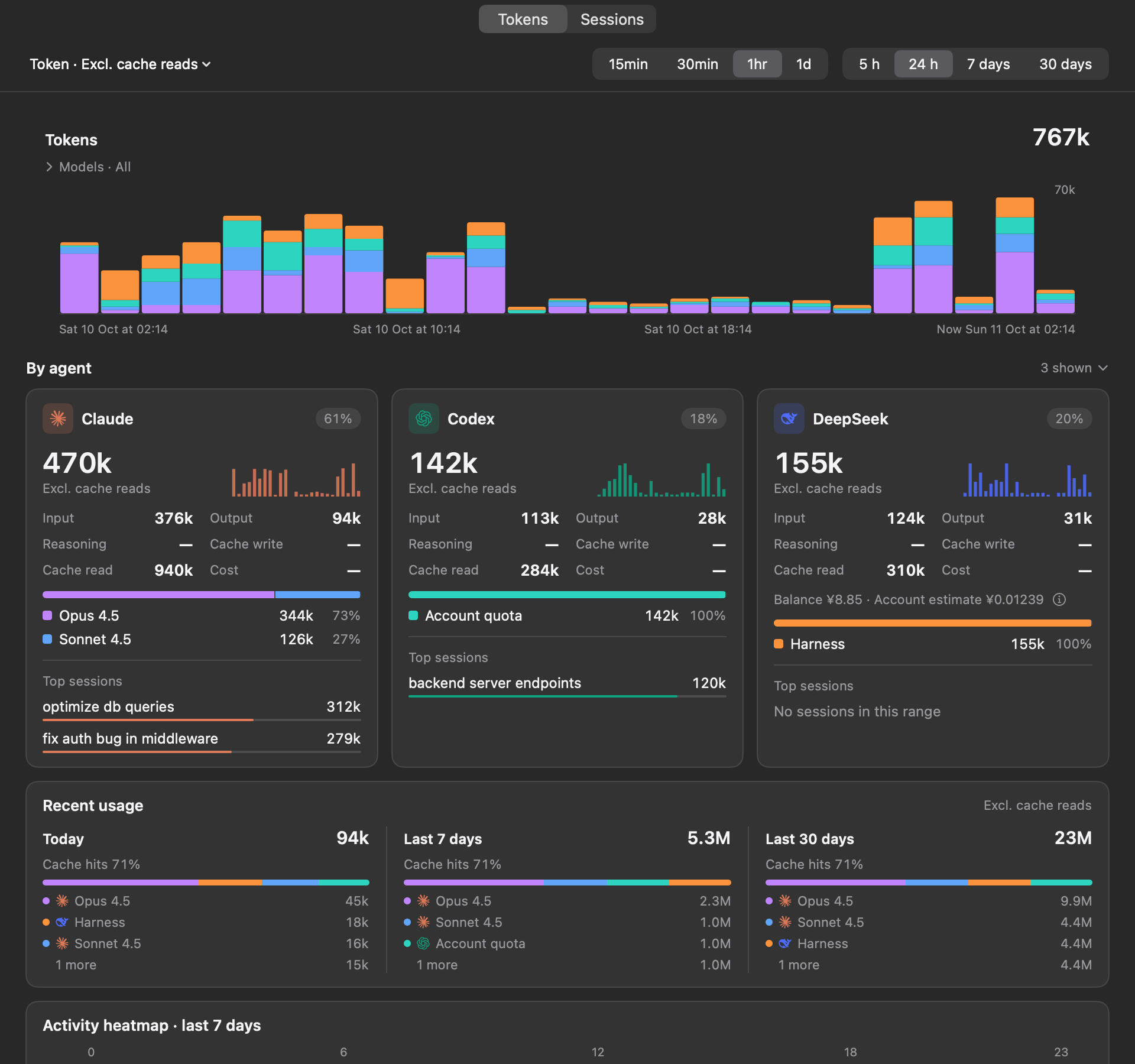
Open the statistics window and select Tokens. Choose a range and a bucket size to see when usage rose. Expand the model filter if you want to inspect a particular model; the filter changes the chart, its total and estimated cost.
The default token selection excludes cache reads. Select all kinds when you want the full amount of context read back on repeated calls. Keep the same selection and range when comparing clients or days.
2. Find the sessions behind the total
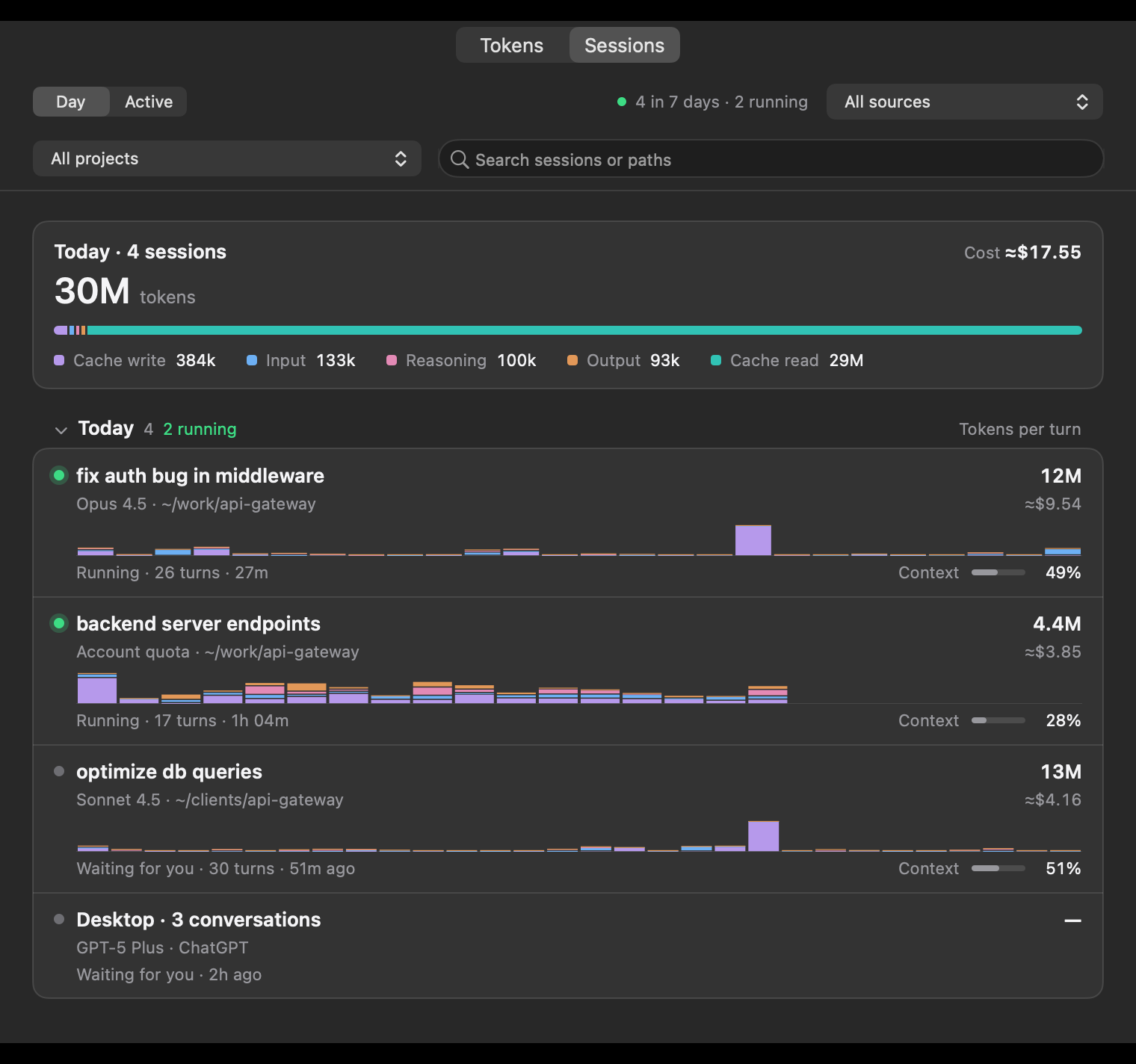
Switch to Sessions and narrow the list by client, project or title. Each row shows the session's token total and estimated cost where pricing is available: account prices for API-billed usage, published API prices for other usage. Day groups use the last active day, with running sessions under Today. The active view shows running sessions and those active in the last 24 hours.
Sessions counts all five token kinds, including cache reads, and keeps its own list separately from the Tokens page's range. A larger session total does not mean the chart missed usage: first compare the same kinds and coverage.
3. Open a session before judging its cost
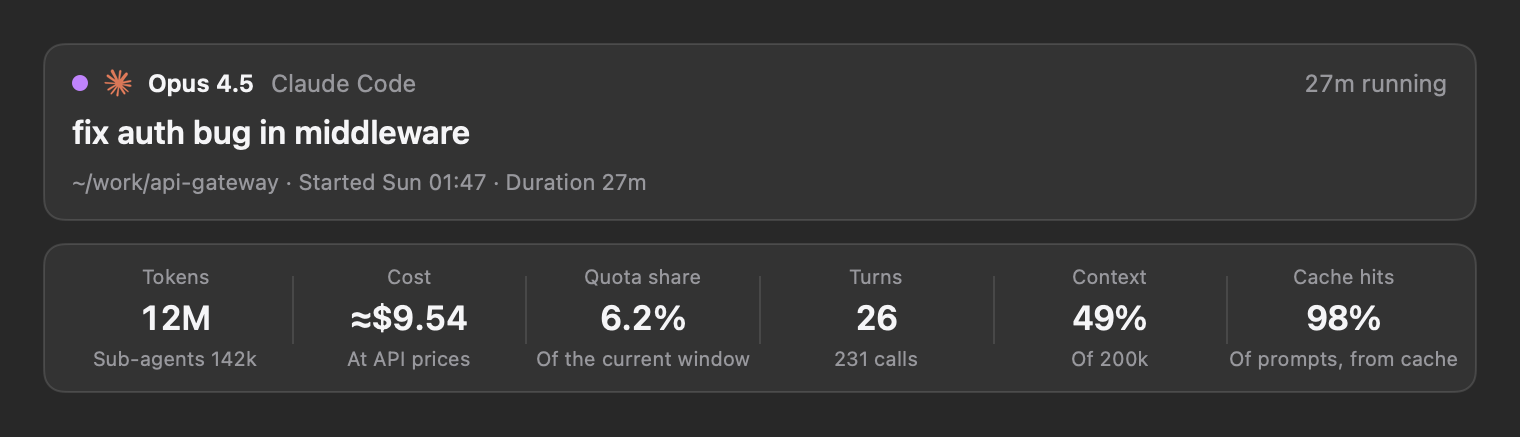
Select a session to inspect its models, total tokens, estimated cost, context and cache hit rate where the client records them. Available sub-agent logs contribute to the breakdown. A large token total can include cached context read repeatedly, so look at the kinds as well as the headline number.
Quota share and token cost answer different questions. The Claude Code session share uses its current quota window; it is not a general conversion from tokens to quota for every client.
4. Inspect turns, calls and cache expiry
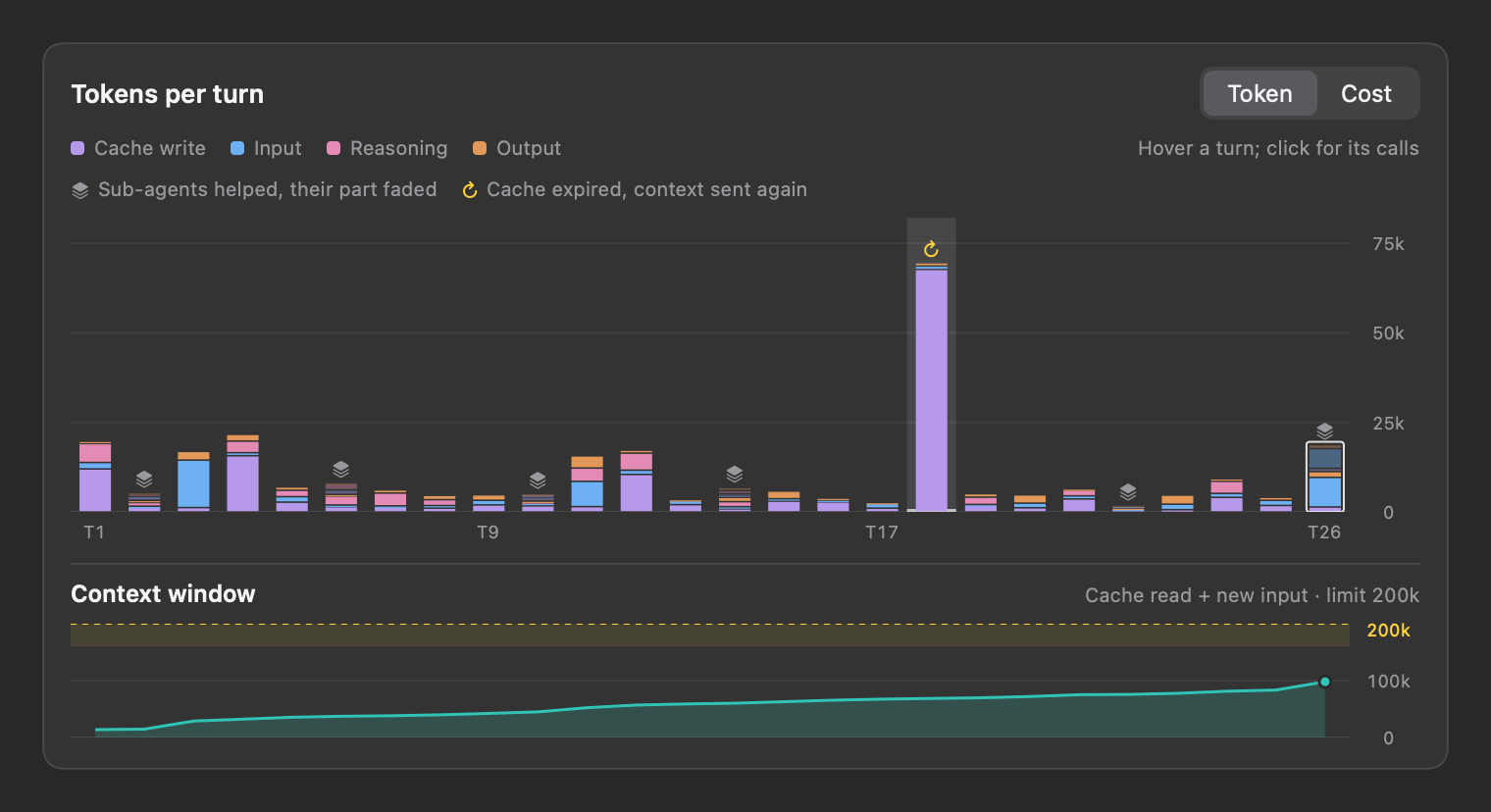
Claude Code, Codex and DeepSeek Harness support per-turn details. A turn includes the calls after one prompt up to the next prompt, including available sub-agent calls. Select a turn to inspect its calls. When every turn has a price, switch the chart to cost to compare their estimated API value.
Compare a high bar with its context and cache markers. The highlighted example below marks context sent again after cache expiry. That marker explains recorded cache behaviour; it does not by itself prove compaction or wasted work.
5. Read estimated costs with their limits
A subscription's ≈ figure is what recorded usage would cost at published API prices. It is not an invoice, an extra charge or a measure of how much subscription quota remains. API-billed accounts can also expose their own balance and account cost estimate.
The Tokens page prices the selected kinds and models in its range, on the platform each client uses, keeping currencies separate. For sessions without API billing, the published-price estimate uses the international list and can account for a call's long-prompt price tier; API-billed sessions use account prices. Those different bases can produce different totals.
A dash or an unpriced model means a value is unavailable, not that the work was free. These screenshots use sample data and do not demonstrate every available price view.
Continue checking away from your Mac
Mac statistics are free. Agent HUD Remote adds cross-device viewing on iPhone and Apple Watch; the iPhone Sessions list includes session totals and estimated costs. LAN pairing is also available as a free Beta for an iPhone on the same network.
Common questions
- Can I track Claude Code and Codex tokens together?
- Yes. Agent HUD reads their local usage records and shows them in the Mac statistics window. Claude Code, Codex and DeepSeek Harness also support per-turn details; other clients' available fields depend on their records.
- Why is a Sessions total larger than the Tokens chart?
- Sessions includes all five token kinds, including cache reads. The Tokens chart excludes cache reads by default and follows its own range and model selection. Compare the same kinds and coverage first.
- Can the estimated cost tell me whether Claude Max is worth it?
- It shows the estimated API-price value of recorded usage, not a subscription saving or bill. Use it alongside your actual plan cost, quota limits and the usefulness of the work; the estimate alone cannot establish whether a plan is worth buying.
- Does missing cost mean a model is free?
- No. Pricing can be unavailable for a model or route, and incomplete records can leave a session without an estimate. Check the provider's own billing record for actual charges.
Related tasks and tools
Get Agent HUD for your Mac
Download the Mac release. Local monitoring, quotas, tokens and supported approvals are free. macOS 14 or later is required; available readings depend on the client.
Last updated: 2026-10-12 · The behaviour described here is documented in full, with the code it comes from, in Agent HUD Open. github.com/jazzenchen/agent-hud-open