Client hooks
What Agent HUD writes into each agent's settings to receive requests and replies, how to turn it on, review it in Codex, and remove it.
A client hook is a small entry in an agent's own settings that runs Agent HUD when the agent asks for permission, asks a question or finishes a turn. With client hooks on, those requests wait on the HUD for your answer, and finished turns bring a New reply reminder. Tokens, quotas and sessions never need them.
Off by default
Client hooks start off. Only the Agent HUD installed in Applications can turn them on.
Turn client hooks on
Make sure Agent HUD runs from the Applications folder. In a copy started from anywhere else, the switch is greyed out.
Open Settings → General and turn on Client hooks. The line under the switch changes to "Client callbacks are installed."
If you use the Codex CLI, trust Agent HUD's hooks in Codex. See Codex reviews new hooks.
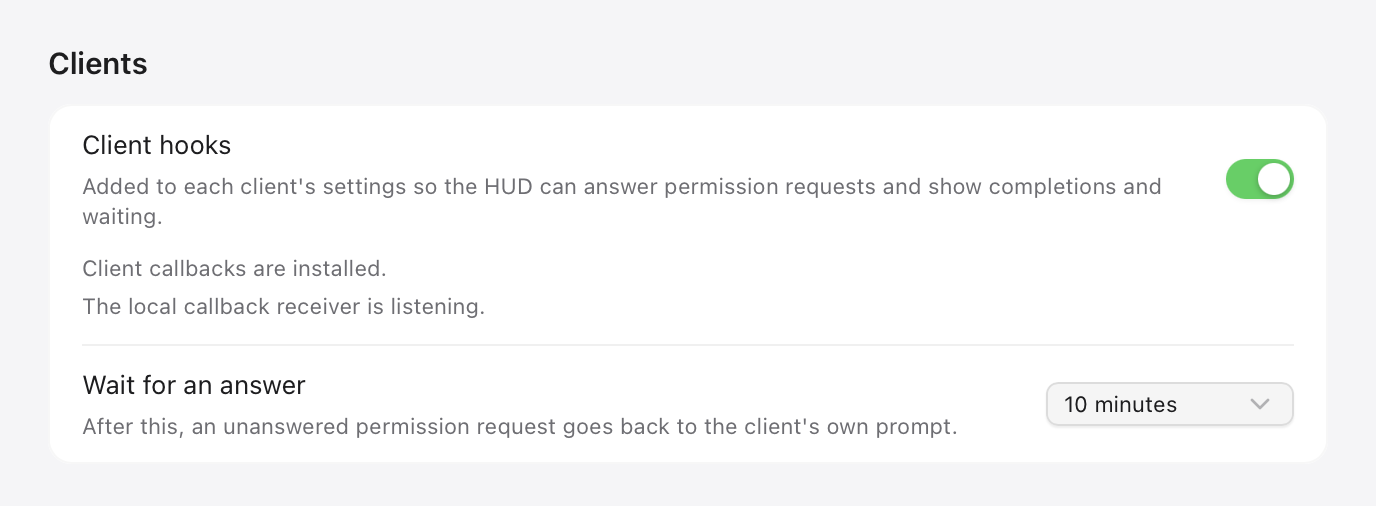
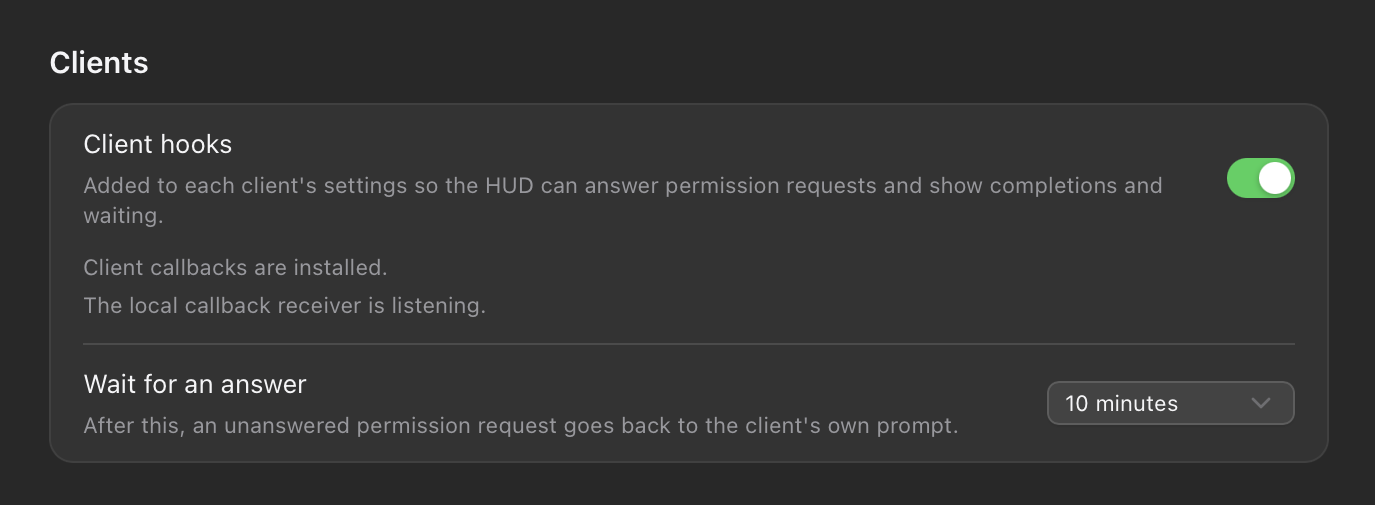
Under the switch, Wait for an answer sets how long a request waits on the HUD before it goes back to the agent: 1, 3, 5, 10, 30 or 60 minutes, 10 by default. How you answer is covered in Requests.
What Agent HUD writes, and when
Agent HUD writes its hooks when you turn client hooks on, and again each time it starts, for every supported agent it finds on this Mac. Each command points at the app in Applications. It adds its own entry beside any hooks you already have, never changes theirs, and removes only its own.
| Agent | Where (default path) | What it brings |
|---|---|---|
| Claude Code | ~/.claude/settings.json | Tool calls, questions and plans; a session's waiting state |
| Codex | ~/.codex/hooks.json | CLI tool calls, once you trust the hook |
| Qoder, Qoder CN, QoderWork | ~/.qoder/settings.json, ~/.qoder-cn/settings.json, ~/.qoderwork/settings.json | Tool calls |
| CodeBuddy | ~/.codebuddy/settings.json | Tool calls and replies |
| WorkBuddy | ~/.workbuddy/settings.json | Tool calls |
| Qwen Code | ~/.qwen/settings.json | Tool calls and replies |
| Devin CLI | ~/.config/devin/config.json | Tool calls and replies |
| ZCode | ~/.zcode/cli/config.json | Tool calls and questions |
| Antigravity | ~/.gemini/config/hooks.json | Replies |
| Cursor | ~/.cursor/hooks.json | Replies, and each generation's tokens |
| GitHub Copilot CLI | ~/.copilot/hooks/agent-hud.json | Replies |
| Pi | An extension, ~/.pi/agent/extensions/agent-hud.ts | Live status and replies |
| OpenCode | A plugin in OpenCode's plugin folder | Replies |
An agent's own folder setting, such as CLAUDE_CONFIG_DIR or CODEX_HOME, moves its file. Three channels need nothing written, and also run only while client hooks are on:
- Codex app: its own approvals and questions come from the running Codex app over its local channel.
- Antigravity: tool approvals and questions come from the running Antigravity app's local service.
- DeepSeek Harness: questions and approvals come through Agent HUD's plugin for Harness, which you install yourself (see below).
ZCode runs hooks only while its own hooks setting is on. When that setting is missing, Agent HUD turns it on with its hook; if you turned it off, Agent HUD leaves it off.
Codex reviews new hooks
Codex runs a hook from your settings only after you review and trust it. Trust is tied to the hook's exact definition, so Codex flags any new or changed entry for review and skips it, without a message in the HUD, until you trust it. That includes the first time Agent HUD writes its hooks.
Start the Codex CLI in a terminal. When hooks need review, Codex shows a warning at startup.
Run /hooks.
Review Agent HUD's entries and trust them.
Because only the copy in Applications writes hooks, their commands stay the same across updates, and one review lasts.
Even when trusted, the hook hands over only the turns where you are the reviewer. Requests that Codex's automatic reviewer handles stay in Codex.
When Agent HUD is not running
The hooks stay in your agents' settings when you quit Agent HUD. Each time an agent runs one, it finds no app, exits without an answer, and the agent asks in its own window as usual. Nothing is ever answered for you.
Additions you turn on yourself
These are separate from client hooks. Each one is added only when you ask for it, and removed from the same place.
| Addition | Where | What it writes |
|---|---|---|
| Agent HUD plugin for Claude Code | Settings → Agent plugins → Claude Code | A Claude Code plugin, installed with Claude Code's own plugin command. It carries your answers to questions Claude asks in its desktop app (Answer questions), and messages Agent HUD sends to a Claude Code session |
| Agent HUD plugin for DeepSeek Harness | Settings → Agent plugins → DeepSeek Harness | One module and one marked row in Harness's patch file, ~/.dsh/cordis.patch.yml. It brings Harness's questions and approvals to the HUD |
| HUD tools | Settings → Agent plugins, for Claude Code, Codex, Cursor, DeepSeek Harness and Antigravity | Agent HUD's MCP server, named agent-hud, in the agent's MCP configuration, plus one skill. Only from the copy in Applications. See Built-in MCP |
| Antigravity CLI quota callback | Settings → Agents → Antigravity → Antigravity CLI accounts | A local quota callback beside the CLI's status line, which stays as it was. See Quotas and balances |
| Remote sessions | Settings → Remote → Remote sessions, with Agent HUD Remote | One more hook in Claude Code's and Codex's settings, for prompts and turn ends, so phone conversations stay current. Codex reviews it like any other hook. See Agent HUD Remote |
At launch, Agent HUD also marks one folder, ~/.agenthud/sessions/claude, as trusted in Claude Code's ~/.claude.json, so a new session without a project, started from Agent HUD, can run there. It changes no other entry, and writes nothing when Claude Code is not installed.
Turning client hooks off
Turn off Client hooks in Settings → General. Agent HUD removes its hooks, Pi's extension and OpenCode's plugin at once, and writes none back.
- Requests go back to each agent's own window.
- Replies from the agents that report them through a hook, extension or plugin stop, and so does Pi's live status.
- Cursor's tokens stop being recorded.
- Tokens, quotas, sessions and their history stay as they were.
Remove everything
Turn off Client hooks in Settings → General.
In Settings → Agent plugins, remove the plugins and HUD tools you added.
In Settings → Agents → Antigravity, clear Antigravity CLI accounts and select Connect accounts to restore the CLIs' status lines.
If you use Agent HUD Remote, turn off Remote sessions in Settings → Remote.
Quit Agent HUD and move it to the Trash.
Do the steps before deleting the app. Deleting the app alone leaves its hooks in your agents' settings, pointing at an app that is gone.
Last updated