iPhone
Your Macs' quotas, token statistics, sessions and widgets on iPhone, free on the same network. Agent HUD Remote takes them anywhere.
The Agent HUD app for iPhone shows what the Agent HUD release on your Mac reads: every quota with its reset, balances, token statistics and sessions, from one Mac or several. On the same network as the Mac, this is free to use. Agent HUD Remote takes the same view to any network and adds conversations, requests, alerts and Live Activities.
| iPhone | iOS 17 or later. Get the app from the App Store. |
| Mac | The Agent HUD release from agenthud.app/mac. See Install on Mac. |
| Account | None to create. Pairing happens on your network; Remote uses your own iCloud. |
Try it with sample data
Until a Mac is connected, the app opens on a welcome page with two choices:
- See it with sample data runs the whole app on sample Macs, under a banner that says so. Nothing is read or written: no iCloud, no widgets, no Apple Watch, no Live Activities, and your settings stay as they are. The banner leads back out, or on to connecting a Mac.
- Set up with my Mac opens Connect your Mac. If the Mac does not have Agent HUD yet, Send link to Mac under Before you start sends it the download link.
Connect on the same network
Pairing is free. The iPhone then reads the Mac directly whenever both are on the same network.
On the Mac, open Agent HUD's Settings → Local Network and turn on Local network sharing. It is off until you turn it on.
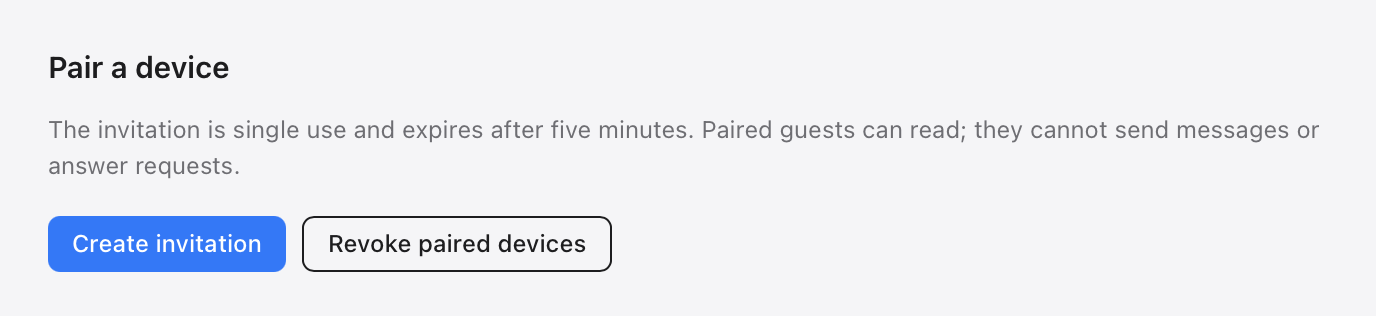
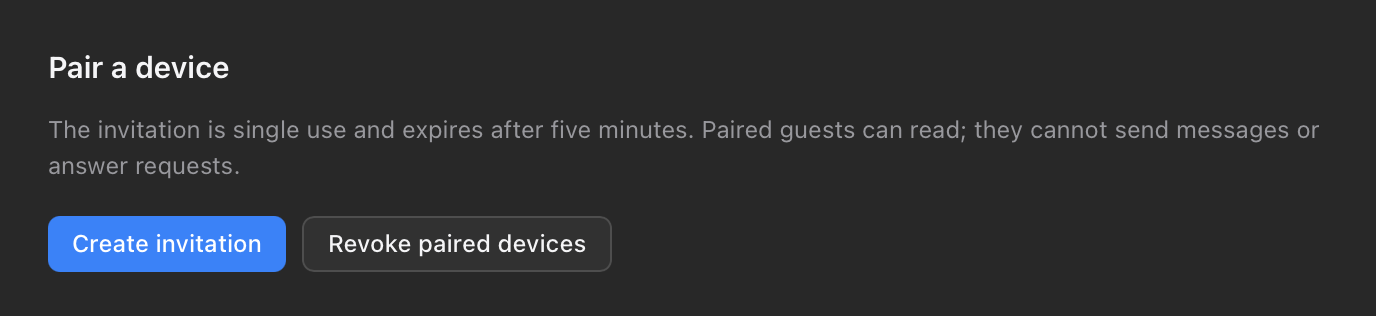
Under Pair a device, click Create invitation. A QR code and a pairing link appear. An invitation works once and expires after five minutes.
On the iPhone, open Settings → Local network → Scan Mac QR Code and point the camera at the code. The Camera app can scan it too. Allow local network access when iOS asks.
The Mac then appears under Paired Macs.
- The iPhone reads the Mac over TLS, with the Mac's certificate pinned when you pair. This path does not pass through Agent HUD's servers.
- A paired iPhone can read. It cannot send messages or answer requests; those need Agent HUD Remote.
- To end a pairing, use Remove pairing on the iPhone, or Revoke paired devices on the Mac.
Build from source
A build from the GitHub source shares quotas, balances and token statistics on the network, but not sessions.
What you see
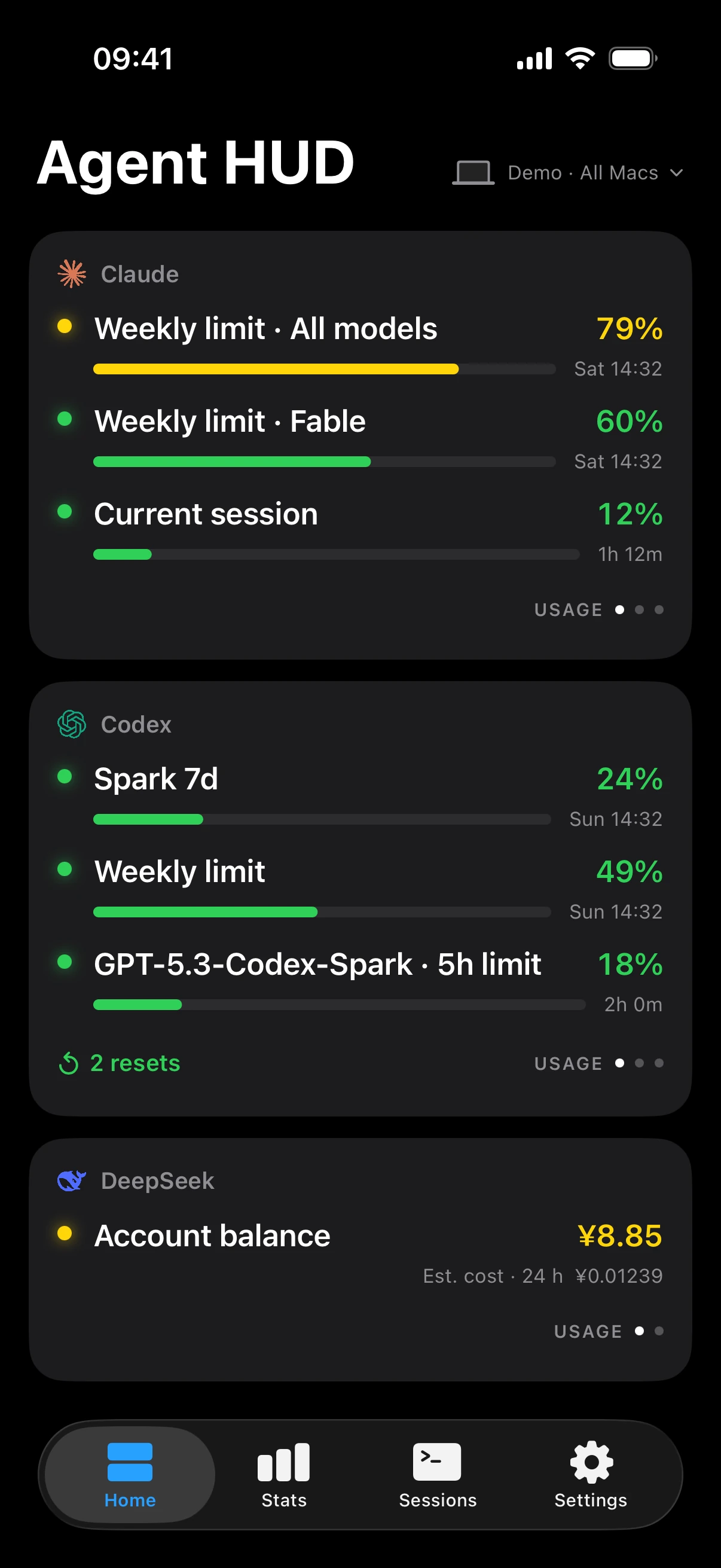
Home
One card per account: each quota window with the share used and its reset time, a DeepSeek balance, and the resets Codex has available. Swipe a card to turn it to each window's burn rate, then to tokens per hour. At the top right, choose All Macs or one Mac. Pull down to refresh.
Stats
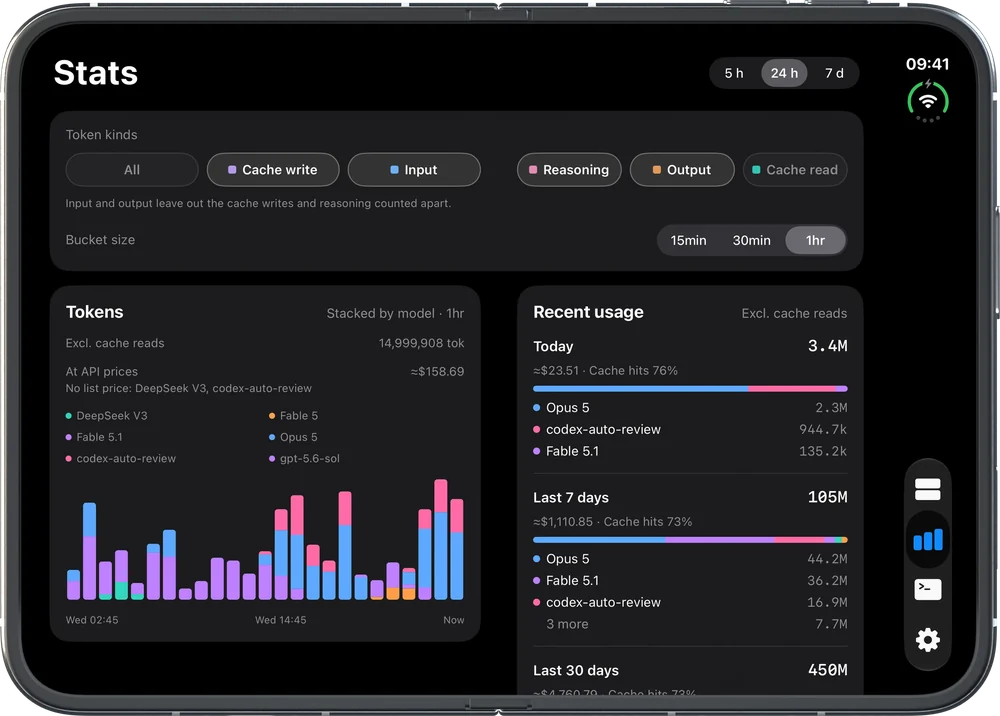
- Tokens by model over the last 5 hours, 24 hours or 7 days, in bars of 15 minutes, 30 minutes or 1 hour. Pick the token kinds that count; cache reads are left out unless you add them.
- Recent usage: today, the last 7 days and the last 30 days, each with its tokens, estimated cost, cache hit rate and top three models.
- Activity: the hours your agents worked over the last 7 days.
Costs are estimates at each vendor's list price, marked ≈. They are not charges.
Sessions
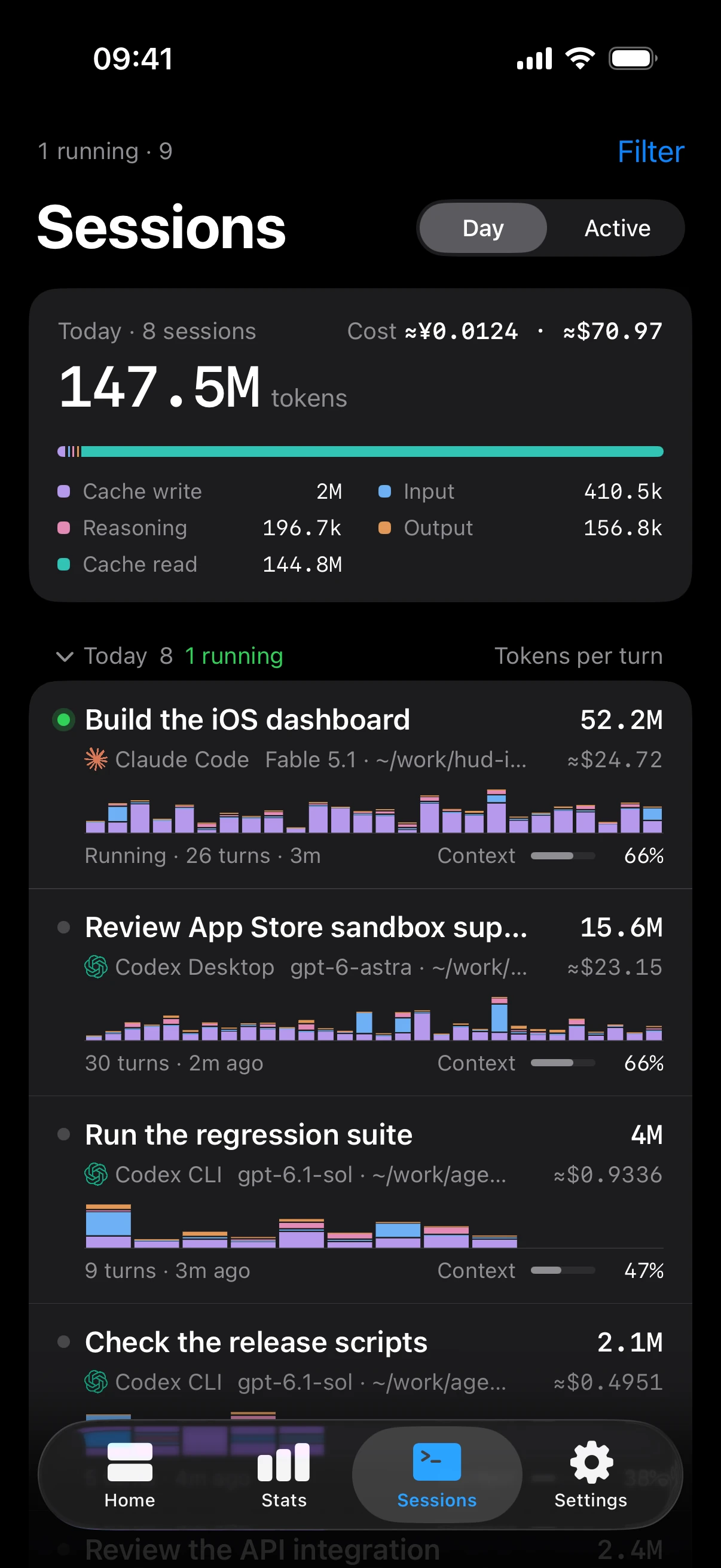
Sessions from your Macs over the last 7 days, grouped by the day they were last active, under a card with today's tokens by kind and their cost. Active narrows the list to sessions active in the last 24 hours or still running. Filter by Mac, app and model.
A session's page shows its tokens turn by turn, how full its context window is, its cost and its cache hits.
More than one Mac
Each Mac reads the agents on that Mac, so a session appears under the Mac that ran it, and each Mac keeps its own token history. Quota belongs to the account: two Macs signed in to the same account read the same windows, and the iPhone shows that account once, with the newest reading.
Widgets
| Widget | Shows | Sizes |
|---|---|---|
| Agent HUD | One agent's quotas, its balance and cost, or its tokens over 24 hours | Small and medium; on the Lock Screen, circular, inline and rectangular |
| Token Chart | The last 24 hours of tokens from all your agents and Macs, stacked by model | Small and medium |
Add them from the Home Screen or Lock Screen gallery; they also show in StandBy. Long-press a widget to give it its own agent and account. A widget that follows the app takes Primary agent and Shows from Settings → Widgets. Widgets are free to use.
Choose what this iPhone shows
Settings → Display → Shown on this iPhone hides an agent, or one of its quota windows, resets or balances. A hidden row also leaves the widgets and Apple Watch. It still raises alerts: what the iPhone displays does not change which agents alert you.
Notifications and Live Activities
Both need Agent HUD Remote.
- Settings → Notifications → Banners turns alert banners on. It is off until you turn it on, and the switch applies to every device on your Apple Account. iOS asks for permission the first time. Send test notification checks that banners arrive.
- Alerts come for a new reply, a quota running low, used up or reset, a usage reset added to a Codex account, and a request waiting for you. Recent events keeps them for 7 days.
- Settings → Live Activities → Show running sessions puts your running sessions on the Lock Screen and in the Dynamic Island. On iOS 18 and watchOS 11 or later they also appear in the Apple Watch Smart Stack.
iPhone Duo
On an unfolded iPhone Duo, Home, Stats and Sessions split into two columns at the fold. Sessions keeps the list on one side and the session you pick on the other. The outer screen shows one column, as on other iPhones.
Away from your network
A paired Mac shows while it is reachable on the same network. To keep your Macs on the iPhone when you leave, and to answer requests and message your agents, see Agent HUD Remote. For Apple Watch, see Apple Watch.
Last updated
Client hooks
What Agent HUD writes into each agent's settings to receive requests and replies, how to turn it on, review it in Codex, and remove it.
Agent HUD Remote
Agent HUD Remote connects iPhone and Apple Watch to your Mac on any network through your own iCloud, with conversations, decisions and alerts.